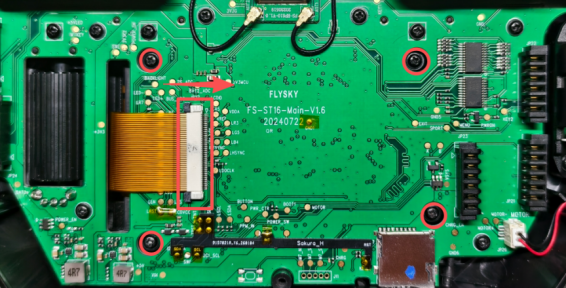
Flysky ST16 Hardware Mod for Complete touch Support
This touch screen modification can only be used under the edgetx system and cannot be applied to the flyskyos system.
Adding a touch screen will occupy the wiring of the two rear buttons, thereby affecting the functionality of those two buttons.
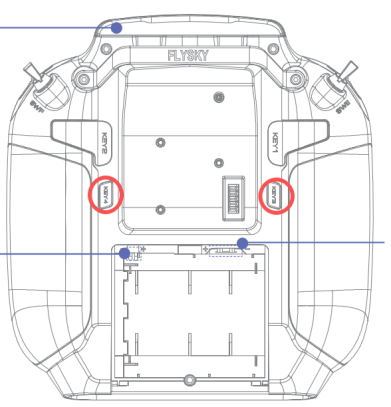
relevant document:flysky ST16 touch
line link
Connect as shown in the picture.
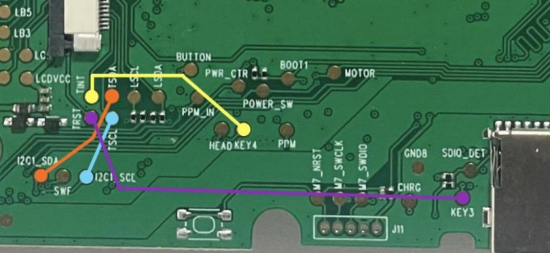
I use 0.8mm thick PCB for connection.
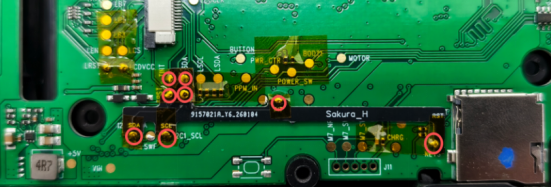
Screen material preparation
Separate the original outer screen from the inner screen
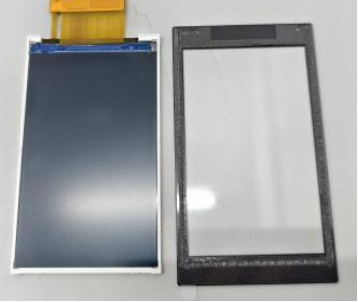
Replace with the IC:ft6236U touch external screen.
Product link:FT6236U touch glass
Handling the touch glass
Remove the inner protective film and the double-sided adhesive.
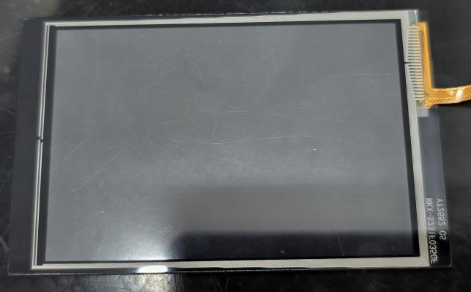
Cut off the protruding part of the front protective film and keep the protective film intact.
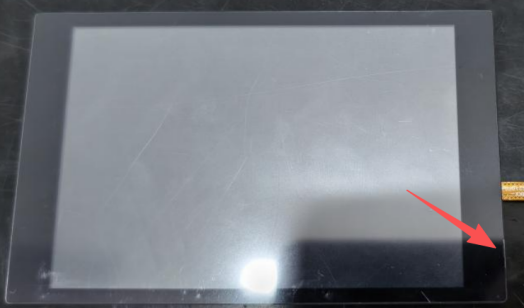
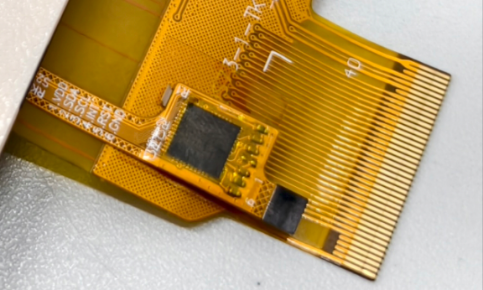
Display screen 1-6 pin: 1-GND 2-RST 3-INT 4-SCL 5-SDA 6-VCC The touch screen is connected to the display's 1-6 pins via 6-pin connector.
Welding 6-pin and 40-pin connectors.
40pin connector, 0.5mm pitch, with the cover attached below
6pin connector, 0.5mm pitch, upper connection
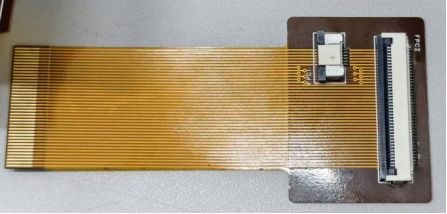
Touchscreen assembly
The materials required for screen assembly
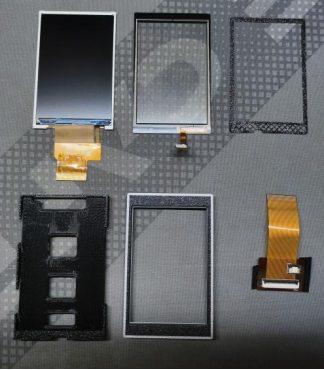
Place the inner screen inside the screen frame, and have the wires pass through the gap.
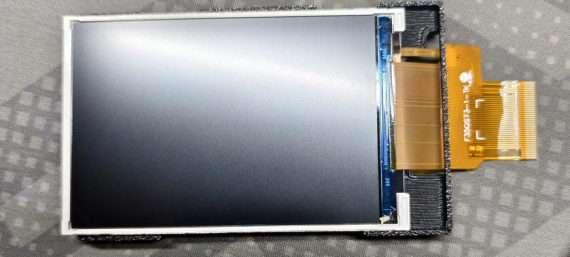
Then place the touch glass outside the screen frame, and have the wiring pass through the gap.
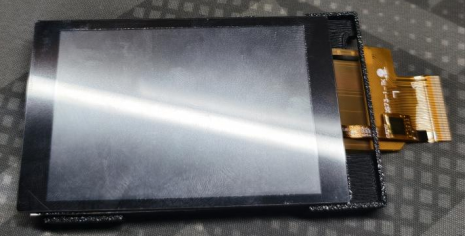
As shown in the picture, open the touch glass. Clean the inner screen and the inner side of the touch glass. Put in the TPU gasket.
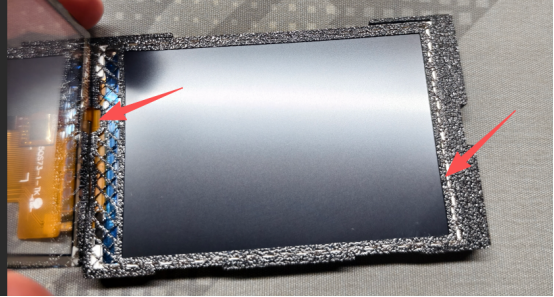
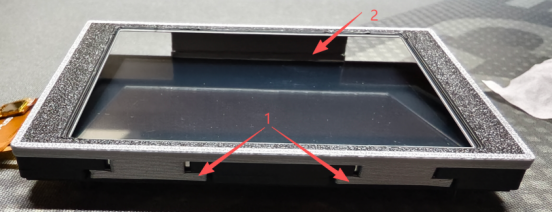
Fasten the screen cover plate
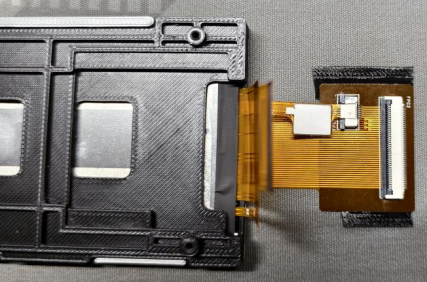
Connect the 6-pin touch cable to the FPC cable, and then connect the 40-pin cable.
Use tape to fix the fpc to the back of the outer frame.
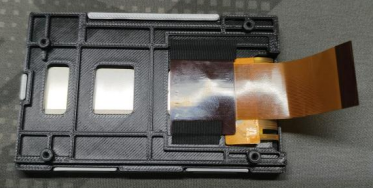
Put the screen assembly back into the remote control and insert the screws to connect the wires.